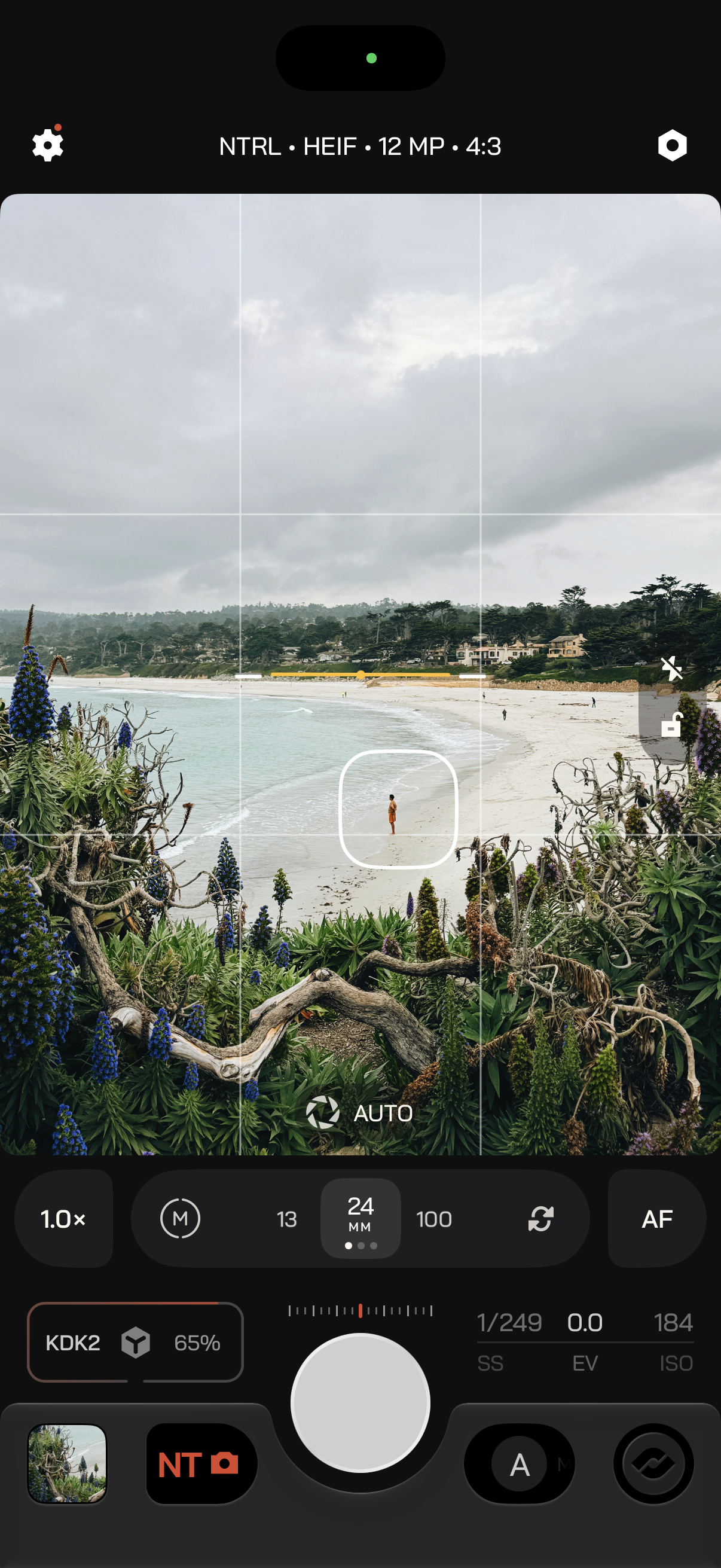
- 1
Looks
Tap to open the Look Browser where you can apply, import, and organize your LUTs. - 2
Color
White balance and tint. Auto, manual, a preset, or a grey card. - 3
Exposure Meter
The current exposure value of the shot. - 4
Exposure
Shutter, EV, and ISO. What you can change depends on Exposure Priority. - 5
Gallery
The last photo or clip. - 6
Modes + Profiles
Swipe to change mode, or tap for the Mode Browser. - 7
Shutter
Take the photo or start the recording. - 8
Exposure Priority
Swipe between A, M, S, and I. - 9
Command
Dedicated Zen Mode button. Press it to clear the interface and leave the shutter.


