- 1
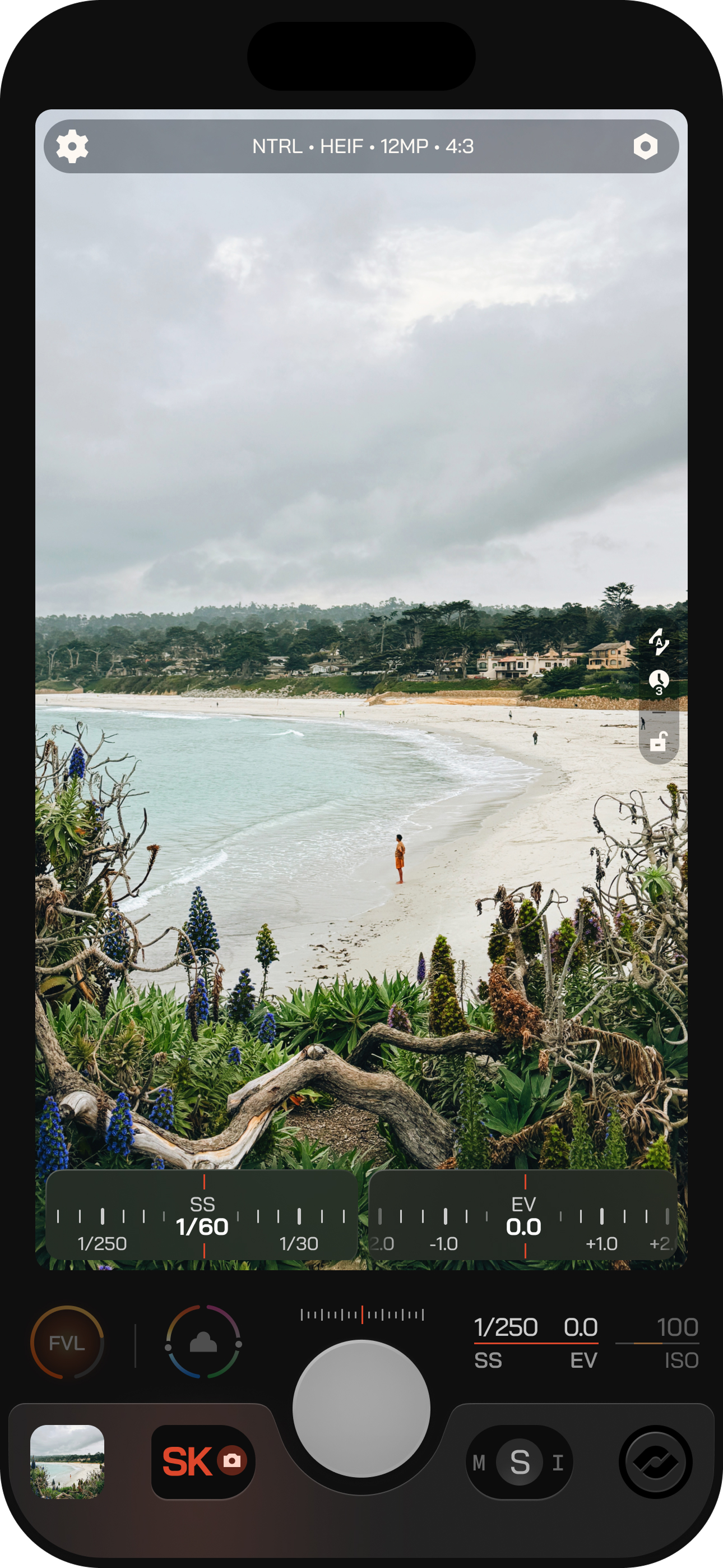
Exposure Priority
Switch between Auto, Manual, Shutter, and ISO priority. Long-press Exposure Priority or the Aperture pill to reset it to Auto. - 2
Exposure Display
Shows the current exposure values. Tap it to open Exposure Control. - 3
Auto-Range Control
Set Min and Max limits for ISO or Shutter in the I and S priority modes. - 4
Range Indicator
Shows the active Min and Max limits while you adjust. - 5
Exposure Control
Opens above the plate. Drag the wheel to find a value, or tap beside the center value to move one tick.